
 Tucario
 English
  Deutsch
  Français
  Español
  日本語
日本語  Português
  Polski
  العربية
  Install from AppExchange
 Upload Restrictions
Control which file types and sizes users can upload.
Overview
Admins can restrict uploads by file type and size directly in the component properties — no code required.
File Type Restrictions
Two properties control which file types are accepted:
Allowed File Extensions
A whitelist of permitted extensions (e.g., pdf,docx,xlsx). When configured, only these types can be uploaded. Leave empty to allow all types.
Excluded File Extensions
A blacklist of blocked extensions (e.g., exe,bat,sh). These types are rejected on upload. Leave empty to exclude nothing.
Using Both Together
When both are configured, they work as a combined filter:
- Allowed list is checked first — if the file’s extension is not on the allowed list, it is blocked.
- Excluded list is checked second — if the file passed the allowed check but is on the excluded list, it is still blocked.
A file must be on the allowed list and not on the excluded list to be accepted.
File Size Limit
Set the Max File Size (MB) property to limit the maximum upload size. Set to 0 for no limit.
When a user attempts to upload a file that exceeds the limit, the upload is blocked and an error toast is displayed with the file name and the configured limit.
User Feedback
When uploads are blocked, the component provides clear feedback:
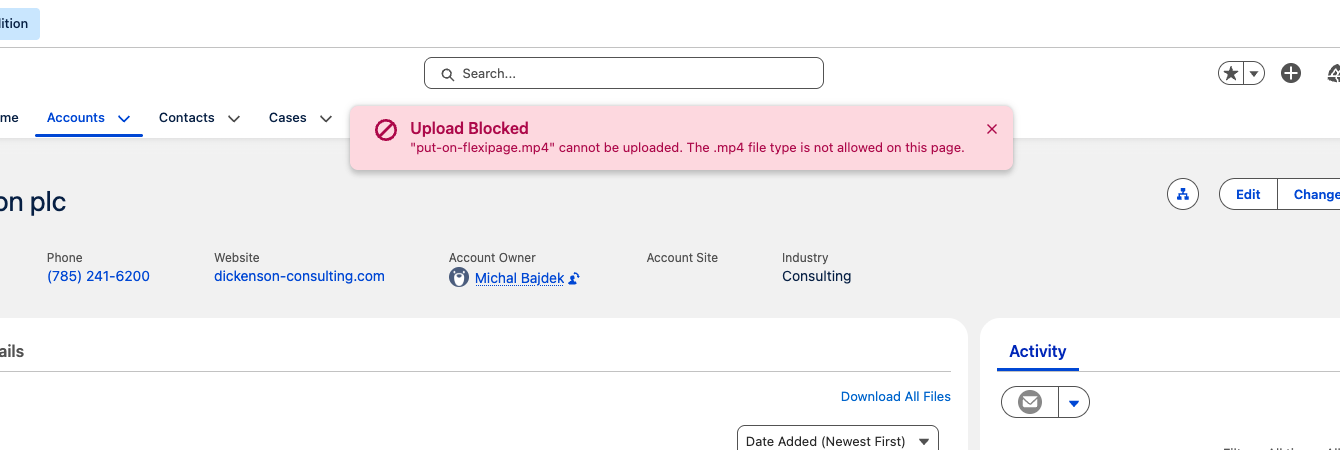
- Single file blocked — toast message names the file and explains why it was blocked (wrong type or too large).
- Multiple files blocked — toast lists all blocked files with the reason.
- Mixed upload — if some files succeed and others are blocked, both a success and a warning toast are shown.